
SmartPOS: A Free, Offline Point of Sale System for Small Shops
Running a small shop shouldn’t mean paying monthly subscription fees for basic sales tracking, or depending on an internet connection just to ring up a sale. SmartPOS is a fast, offline-first Point of Sale (POS) system built for exactly this — one PC, one admin, zero internet required.
Built with PHP and SQLite and packaged as a single Windows .exe, SmartPOS gives small businesses everything they need to manage sales, inventory, customers, purchases, and reports — without recurring costs or cloud dependency.
No PHP installation or extra dependencies needed — just extract and run SmartPOS.exe.
🖼️ Screenshots
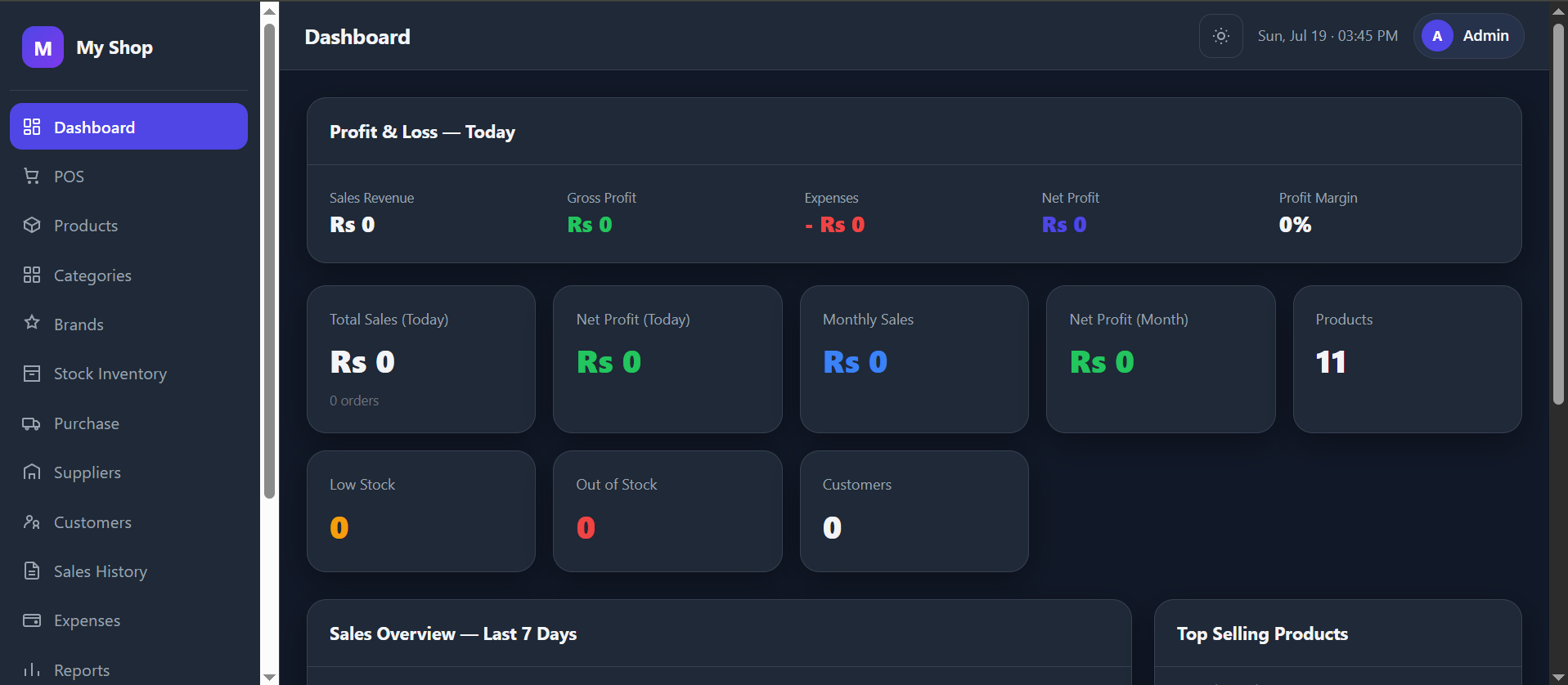
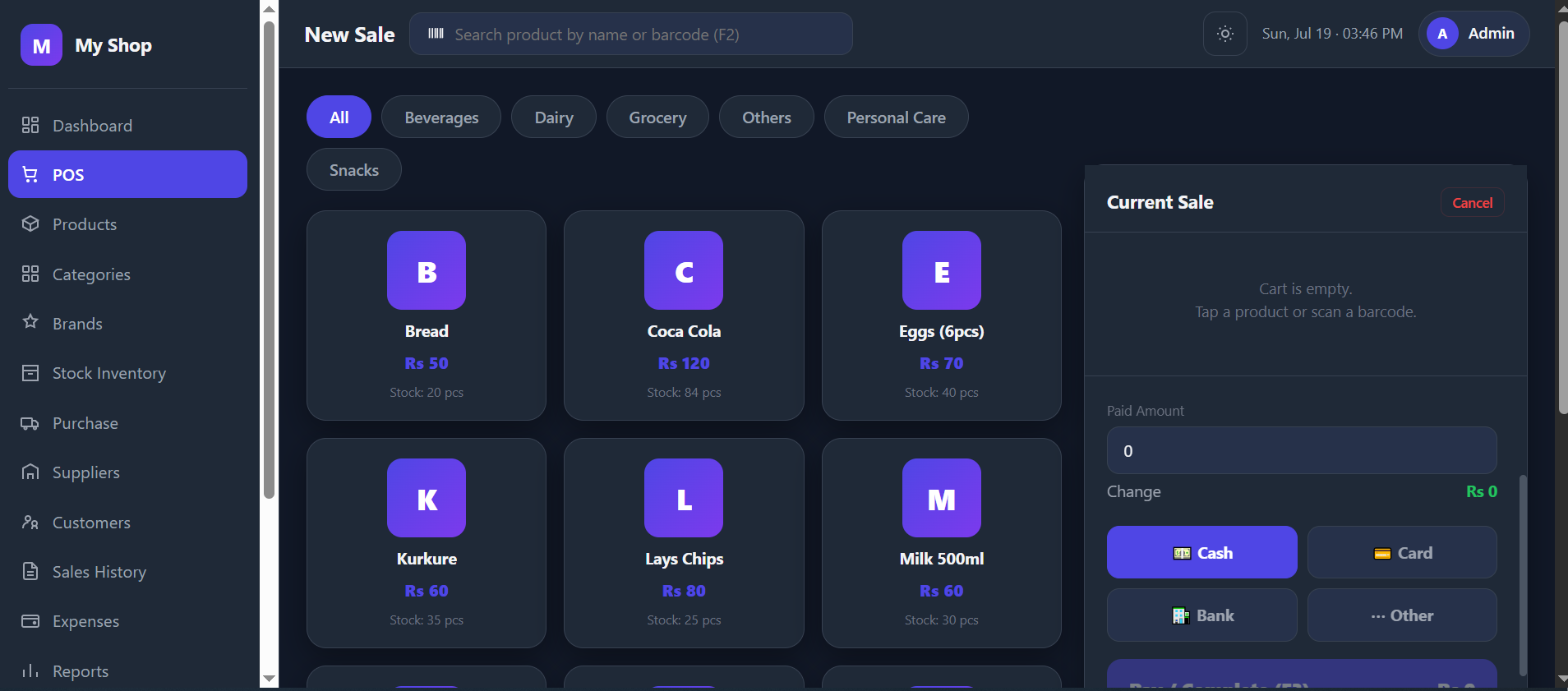
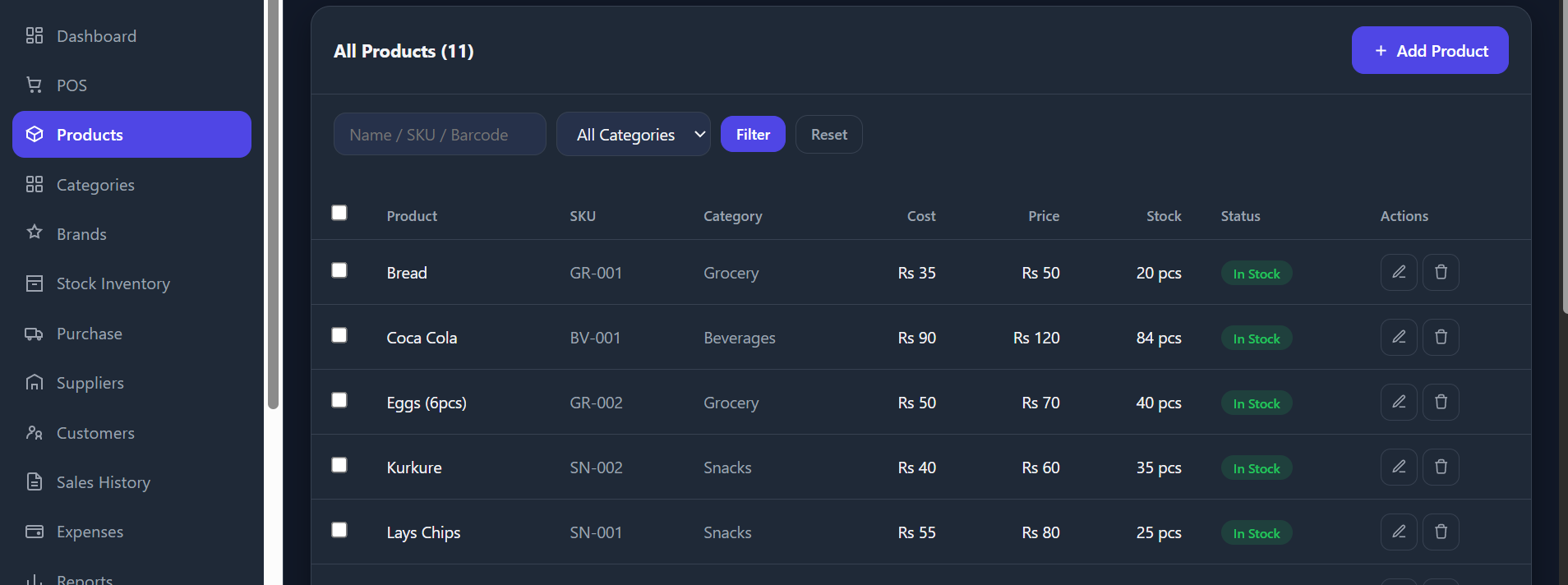
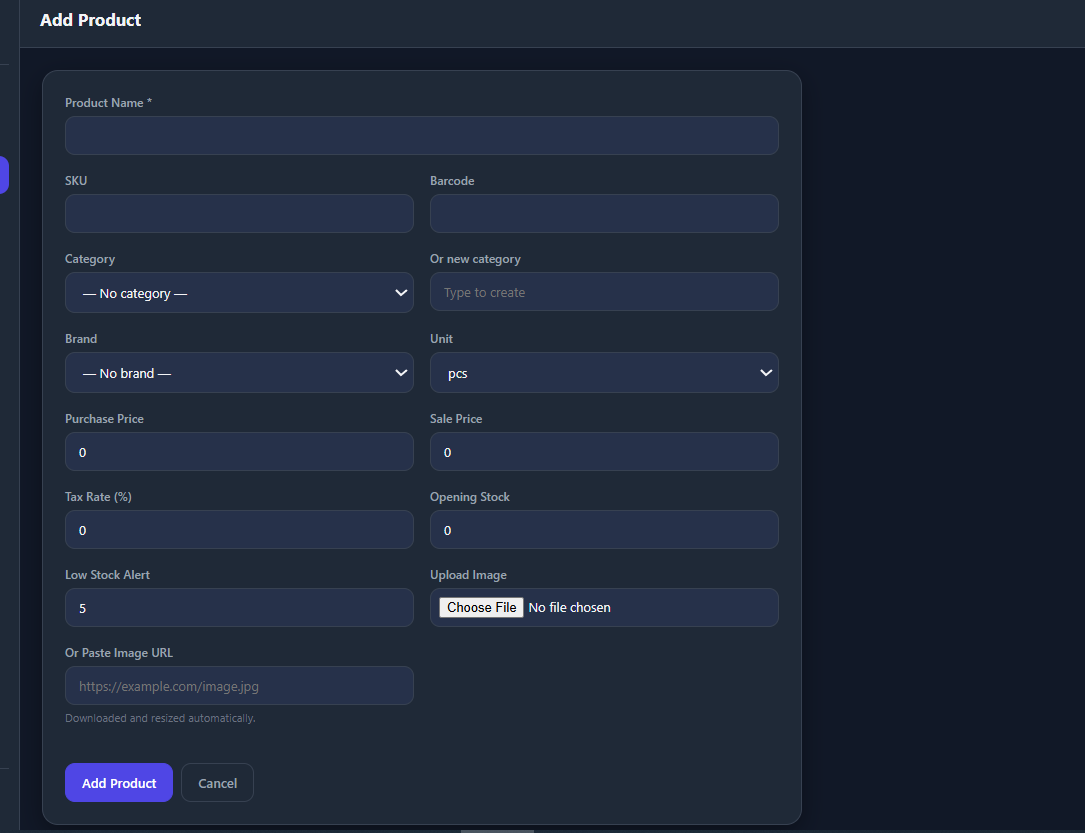
✨ Features
| Module | What it does |
|---|---|
| 📊 Dashboard | Today/monthly sales & profit, 7-day sales chart, top products, low-stock alerts, clear Profit & Loss breakdown |
| 🧾 POS | Category filters, product grid, cart with qty steppers, discount, Cash/Card/Bank/Other, paid amount & change, Hold/Resume sale, printable receipt. Keyboard shortcuts: F2 search · F3 complete · F4 hold · Esc cancel |
| 📦 Products | Add/edit with image upload or URL (auto-downloaded & compressed to a uniform size), search, bulk select/edit/delete |
| 🏷️ Categories & Brands | Simple management with product counts |
| 📈 Stock Inventory | Current stock, low/out-of-stock filters, adjustments with required reason + full history |
| 🚚 Purchases & Suppliers | Record purchases from suppliers, auto-updates stock and cost price, tracks amounts owed |
| 👥 Customers | Contact info, due balances for credit sales |
| 🧮 Sales History | Filterable list, view/print any invoice, void a sale (restores stock, reverses profit, requires a reason, logged permanently) |
| 💸 Expenses | Title, category, amount, note |
| 📑 Reports | Sales, Profit & Loss, Expenses, Tax, Top Products, Stock, Customers — all CSV-exportable |
| 📝 Audit Log | Permanent, timestamped record of every void and bulk action |
| ⚙️ Settings | Store info, logo, receipt preferences, PIN change — one clean page |
| 💾 Backup & Restore | Manual backup, daily auto-backup, download/restore any backup file |
🚀 Quick Start (Development)
Requires PHP 8.x with the SQLite and GD extensions.
git clone https://github.com/wonderanime/POS-System-Offline-Smart-POS-.git
cd POS-System-Offline-Smart-POS-/app
php -S 127.0.0.1:8741 -t public public/router.php
Open http://127.0.0.1:8741 — default PIN: 1234 (change it in Settings immediately).
🏗️ Build the Windows .exe
No manual PHP install needed — the build script downloads and configures a portable PHP runtime automatically.
BUILD.batThis will:
- Install PyInstaller if missing
- Download & configure portable PHP (SQLite + GD extensions enabled)
- Bundle everything into
dist/SmartPOS/SmartPOS.exe
To run without building an .exe, just double-click START.bat.
To deploy to a shop PC: copy the entire dist/SmartPOS/ folder. The database travels with it — no separate install step.
📁 Project Structure
smartpos/
├── app/
│   ├── public/
│   │   ├── router.php          # URL routing
│   │   ├── pages/              # One file per screen
│   │   ├── api/                # JSON endpoints (checkout, theme)
│   │   └── assets/             # css / js / uploaded product images
│   ├── includes/                # db.php, auth.php, pagination.php, config.php
│   └── database/
│       ├── schema.sql           # Table definitions (auto-migrates on boot)
│       └── backups/             # Auto + manual backups (gitignored)
├── launcher/launch.py           # Starts PHP server + opens browser (used by the .exe)
├── build_assets/icon.ico        # App icon
├── build_exe.py                 # Builds the Windows .exe
├── BUILD.bat / START.bat
└── README.md
🔒 Data & Safety
- Single admin PIN login (SQLite
password_hash, never stored in plaintext) - The database auto-migrates on every boot — pulling a new version adds any new tables/columns without touching your data
- Voided sales are never deleted — they’re marked
voided, excluded from all profit/reporting, and logged in the Audit Log with a mandatory reason - Daily automatic backups, kept in
app/database/backups/(last 30 retained)
🗺️ Roadmap / Known Gaps
- Purchase-side void/return (currently only sales can be voided)
- Receipt print sizing options (58mm / 80mm / A4)
- Customer & supplier payment recording against due balances
Contributing
- Fork the repo
- Create a branch:
git checkout -b feature/your-feature - Commit your changes and open a PR
Please test against php -S 127.0.0.1:8741 -t public public/router.php before submitting.
License
MIT — free to use, modify, and distribute.
Full source code, contribution guidelines, and issue tracker are available on GitHub.
Final Thoughts
If you’re a small business owner looking for a no-cost, no-internet-required way to manage sales and inventory, SmartPOS is worth trying. Download it, run it locally, and see if it fits your shop’s workflow.


![Disastrous Necromancer[King of The Scourge]](https://i1.wp.com/chikianimation.com/wp-content/uploads/2024/10/Disastrous-NecromancerKing-of-The-Scourge.jpg?resize=65,85 "Disastrous Necromancer[King of The Scourge]")


![After Stopping Being a Simp[bootlicker]-I Became a Billionaire Tycoon](https://i3.wp.com/chikianimation.com/wp-content/uploads/2025/02/After-Stopping-Being-a-Simpbootlicker-I-Became-a-Billionaire-Tycoon.jpg?resize=65,85 "After Stopping Being a Simp[bootlicker]-I Became a Billionaire Tycoon")


![Master: This Traitorous Disciple is not the Holy Son[Devious Son Of Heaven]](https://i3.wp.com/chikianimation.com/wp-content/uploads/2025/05/Master-This-Traitorous-Disciple-is-not-the-Holy-SonDevious-Son-Of-Heaven.jpg?resize=65,85 "Master: This Traitorous Disciple is not the Holy Son[Devious Son Of Heaven]")



WOW just what I was searching for. Came here by searching for hautboys